
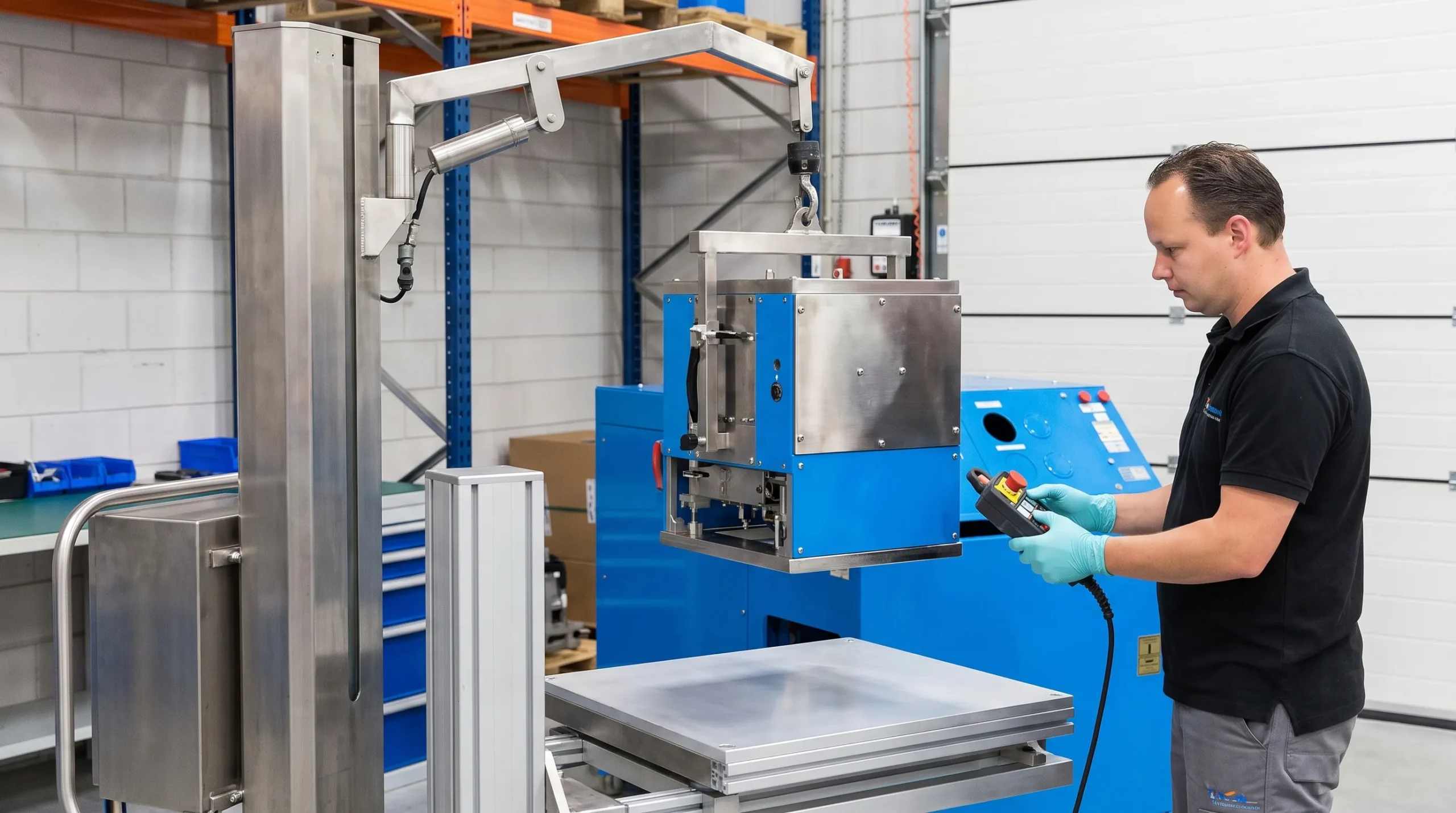
Good hmi design (human-machine interface design) can make the difference between a lifting device that is technically capable and one that operators can use safely under real production conditions. In lifting equipment, the interface is where the operator interprets machine status, selects a movement and reacts to warnings. If that interface is unclear, slow or poorly positioned, the risk shifts from engineering control to operator guesswork.
For OEMs and first-tier suppliers in semiconductor, aerospace, medical technology, energy and other high-tech industries, that is not acceptable. Loads are often valuable, fragile, difficult to access or located in cleanrooms and tight service areas. Safe lifting therefore depends on mechanics, controls, ergonomics, diagnostics, inspection and maintenance working together.
Why hmi design matters in lifting operations
A lifting system is not safe because it has a rated capacity label and a control pendant. It is safer when the intended task, load path, operating environment and human interaction have been engineered as one system. The interface should support predictable behavior before, during and after the lift.
In practice, many lifting incidents and near misses are not caused by one dramatic failure. They can start with a small mismatch between the equipment and the task: an unclear mode selection, a control button that is too easy to operate unintentionally, a warning that appears too late or a fault message that gives no practical guidance. These details matter when an operator is handling a heavy module above sensitive equipment or aligning a load inside a restricted machine frame.
A good interface reduces cognitive load. The operator should not have to remember hidden sequences, interpret ambiguous icons or search for the right emergency response while the load is suspended. For a broader view of daily operational safety factors, BKL has also written about what makes safe hoisting machine behavior in daily operation dependable.
Core hmi functions that support safer lifting
The interface is not a replacement for mechanical design, safety-rated control functions or proper inspection. It is one part of a wider risk reduction strategy. Its role is to make the designed safety behavior visible, understandable and practical for the people who use the equipment.
Clear command structure
The practical value of hmi design starts with command clarity. Operators need to know which movement will occur before they press a button or confirm an action. For lifting equipment, this is especially important when multiple axes are controlled, such as vertical lifting, horizontal travel, rotation, tilting or fine positioning.
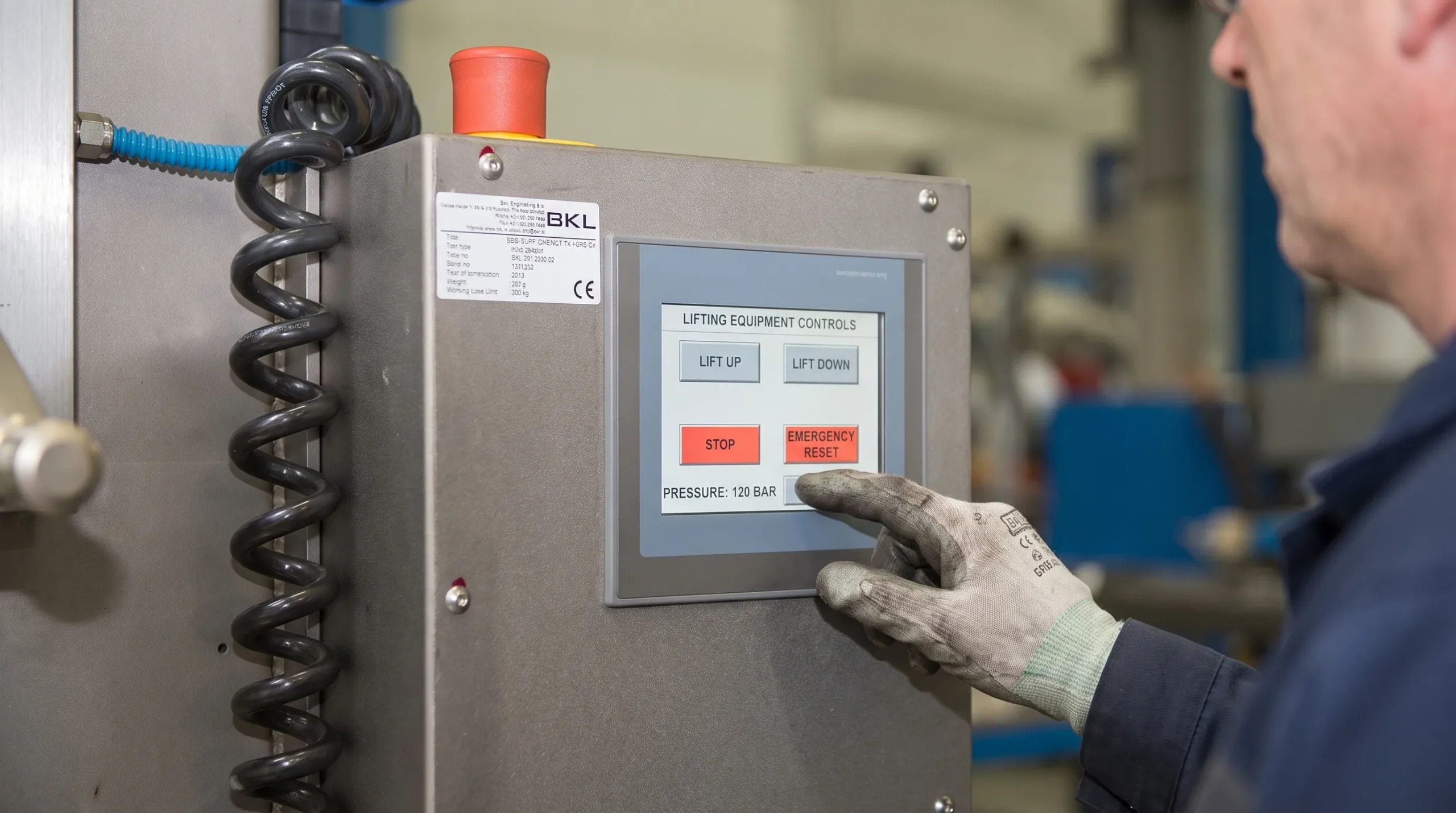
Clear command structure often includes hold-to-run controls for selected movements, logical grouping of functions, unambiguous movement symbols and consistent button behavior across similar machines. Where touchscreens are used, critical lifting commands usually need additional design attention because a flat screen provides less tactile feedback than physical controls. In some applications, physical buttons remain the safer choice for frequent or safety-critical movement commands.
Mode control is equally important. Setup, maintenance, service and production modes should be clearly separated so operators cannot accidentally use the wrong operating logic. When a machine is in reduced-speed mode, teaching mode or maintenance mode, the interface should make that status visible without requiring the operator to open a diagnostic menu.
Feedback, alarms and diagnostics
A safe interface tells the operator what the equipment is doing, what it is ready to do and why it refuses a command. A well-structured hmi can show load status, position, interlock status, motion limits, overload warnings, emergency stop status and fault conditions in a way that supports the next safe action.
Alarms should be prioritized. If every message has the same visual weight, operators learn to ignore them. High-priority safety messages need to stand out from routine information, and the interface should avoid flooding the screen with non-essential messages during a critical lift.
Diagnostic information also affects safety and uptime. A message such as fault code 37 may be useful to a controls engineer, but it is not enough for an operator or maintenance technician. Better diagnostics explain the condition in practical terms, such as guard open, load above limit, axis not referenced or sensor signal missing. This principle is familiar beyond industrial machinery as well. Clear appliance repair troubleshooting resources show how structured symptom information helps people move from uncertainty to the right next step, and lifting equipment needs the same clarity with much stricter safety consequences.
For automated or mechatronic lifting tools, diagnostics should also support maintenance teams. BKL has covered this topic in more detail in its article on how PLC diagnostics improve lifting equipment uptime.
| Interface design choice | Safety contribution | Engineering attention point |
|---|---|---|
| Hold-to-run movement controls | Reduces unintended continuous movement | Use where operator supervision is required during motion |
| Clear mode indication | Helps prevent operation in the wrong mode | Make maintenance, setup and production modes visually distinct |
| Alarm prioritization | Directs attention to the most urgent condition | Separate safety-related alarms from routine process messages |
| Interlock status display | Explains why movement is inhibited | Show which condition prevents motion, not only that motion is blocked |
| Load and position feedback | Supports controlled handling and alignment | Present values in units and ranges operators understand |
| Diagnostic event logging | Helps maintenance identify recurring issues | Link fault history to inspection and service decisions |
Designing for the operator, not only for the schematic
Lifting equipment is often designed around mechanical capacity and control architecture first, then the operator interface is added later. That sequence can create avoidable risk. When hmi design starts with the operator's task, the result is usually more intuitive, more ergonomic and easier to validate during risk assessment.
The operator may be wearing gloves, working in cleanroom clothing, standing on a platform or watching both the load and the interface from an awkward angle. A touchscreen that looks good in an office review may be difficult to use beside a machine with vibration, reflections or limited access. A pendant that is acceptable for a simple hoist may be unsuitable for a custom lifting tool that requires synchronized movement and millimeter-level alignment.
Good interface design asks practical questions early. Where does the operator stand during the lift? Can the operator see the load path? Is a second person involved? Are there pinch points or crush zones? Does the interface support slow, controlled positioning near the final installation point? If the safe action is inconvenient or unclear, operators may develop workarounds, and workarounds are often a sign that the equipment does not fit the real task.
Ergonomics also includes mental workload. Icons, colors, labels and screen hierarchy should be consistent. Critical information should not be hidden behind multiple menu layers. For international OEM environments, language strategy matters too. Some interfaces need multilingual labels or symbol-based communication, but symbols should be validated with actual users instead of assumed to be universally understood.
Integrating the interface with mechanics and controls
A safe hmi is only credible when the underlying machine behavior supports what the interface shows. If a screen says safe to move, the mechanical system, sensors, brakes, control logic and load conditions must make that statement reliable within the intended design limits.
This is where mechanical and mechatronic engineering need to be developed together. For example, the interface may show that a lifting adapter is locked, but the design still needs a suitable locking mechanism, sensor selection, fault detection strategy and inspection approach. If the load can be lifted in multiple configurations, the interface may need to confirm the selected configuration before movement is enabled.
Depending on the equipment and market, interface and control system decisions may be part of risk assessment, technical documentation and conformity assessment work. Standards such as EN ISO 12100, IEC 60204-1 and ISO 13849-1 can be relevant to the design process, but they do not remove the need to understand the actual lifting task. The question is not only whether a requirement is listed in a standard. The question is whether the complete system helps the operator work safely and predictably.
BKL's work in custom lifting tools, handling equipment, industrial modules and machines reflects this integrated view. The interface is considered alongside load path, operator position, guarding, controls, manufacturability, inspection and service access. That helps prevent a common problem in safety-critical equipment: a theoretically correct design that is difficult to operate, maintain or verify in practice.
When a standard interface is enough, and when custom engineering helps
Not every lifting application needs a custom interface. A standard pendant or supplier-provided control panel may be sufficient for a simple lift with a clear load path, familiar operator behavior, low configuration complexity and suitable visibility. Choosing a standard solution can be sensible when it meets the task requirements, safety expectations and documentation needs without unnecessary complexity.
Custom hmi engineering becomes more relevant when the lifting task is complex, the environment is demanding or the consequences of incorrect operation are high. This is common in high-tech manufacturing, where a lifting device may handle expensive modules, operate near sensitive equipment or support installation and maintenance inside limited spaces.
Typical triggers for a more tailored interface include:
- Multiple controlled movements that must not be confused
- Restricted visibility of the load, tool or final position
- Cleanroom requirements, gloves or special operator clothing
- Frequent changeovers between products, tools or configurations
- Fine alignment tasks near high-value equipment
- Different user groups, such as operators, maintenance technicians and service engineers
- A need for clearer diagnostics, event history or maintenance support
In these cases, the interface should be specified as part of the machine concept, not as a final detail. If the project involves tight spaces or valuable equipment, the same design logic applies to the wider lifting plan. BKL discusses this in its article about lifting high-value equipment in tight spaces.
Practical specification points for OEMs and machine builders
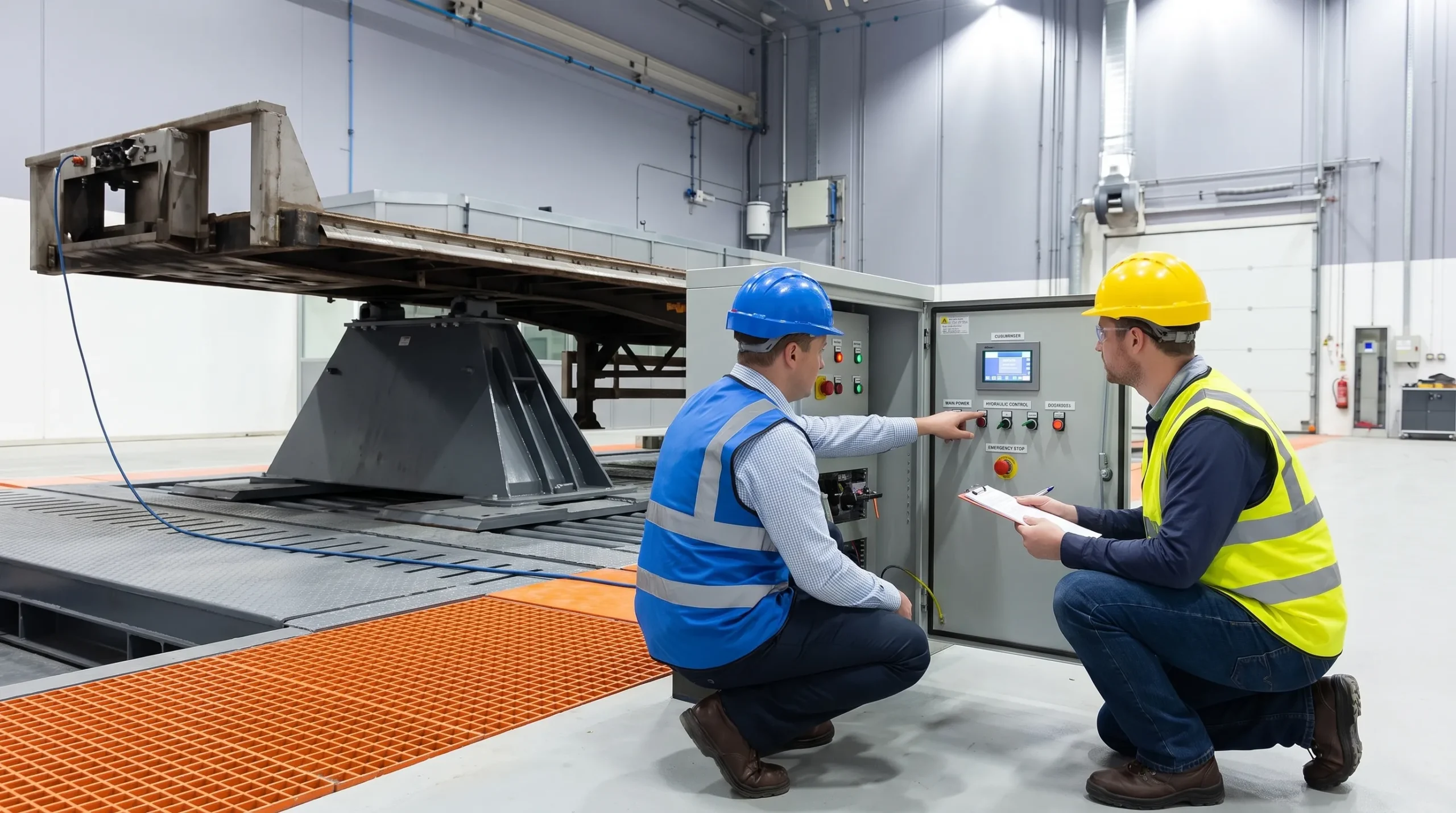
Before approving hmi concepts for lifting equipment, engineering and safety teams should review the interface against the actual task. A design review should include operators or maintenance staff where possible because they often identify practical risks that are not visible in the electrical schematic.
Useful specification questions include:
- What information must the operator see before movement is enabled?
- Which commands are safety-critical and should use physical controls rather than touchscreen controls?
- How are operating modes selected, displayed and protected against unintended use?
- What happens when a sensor, interlock or communication signal fails?
- Are alarms written for the person who must respond to them?
- Can the operator understand why movement is blocked?
- Does the interface support inspection, maintenance and fault finding?
- Is the interface usable with gloves, cleanroom clothing or limited visibility?
- Are labels, symbols and instructions consistent with the manual and technical file?
These questions help connect interface design to Quality, Logistics, Technology, Cost and Sustainability. A clearer interface can reduce training effort, shorten fault finding, support planned maintenance and reduce the chance that equipment is used outside its intended limits. It also makes lifecycle support more practical because service teams can understand how the machine behaved before a fault occurred.
Inspection, maintenance and lifecycle value
The interface can also support the later life of the lifting equipment. Fault histories, operating hours, service reminders and clear diagnostic screens help maintenance teams decide whether a tool can remain in use, needs repair or should be taken out of service for inspection.
This does not replace periodic inspection, overload testing where applicable or competent assessment of wear, deformation and damage. It does make those activities easier to plan and interpret. If recurring fault messages point to a sensor alignment issue or a mechanical adjustment problem, maintenance can focus on the likely cause instead of starting from scratch each time.
For safety-critical lifting tools, lifecycle support should be part of the original concept. BKL can support engineering, production, assembly, installation, inspections, maintenance and service for custom lifting and handling solutions. Where relevant, BKL also performs inspections under its ISO 17020:2012 accreditation and can provide reports, usage advice and certification where applicable. The right scope always depends on the equipment, its intended use and the applicable requirements.
FAQ's about hmi design for safer lifting equipment:
What is hmi design in lifting equipment? hmi design is the design of the human-machine interface, including buttons, screens, alarms, indicators and diagnostic messages that operators use to control and understand lifting equipment.
Can a better interface make lifting equipment safe by itself? No. The interface supports safer operation, but it must be combined with suitable mechanical design, control logic, risk assessment, inspection, maintenance and operator instructions.
When should a touchscreen be avoided for lifting controls? A touchscreen may be less suitable for frequent or safety-critical motion commands, especially when operators wear gloves, need tactile feedback or must keep their eyes on the load. Physical controls may be safer for these functions.
How does interface design affect maintenance? Clear diagnostics, event logs and service messages help maintenance teams identify faults faster and plan interventions. This can improve equipment availability without relying on unsafe shortcuts.
Should operators be involved in interface design reviews? Yes. Operators and maintenance technicians understand the real working environment, visibility constraints, handling sequence and common workarounds. Their input can reveal usability risks before the equipment enters service.
Discuss your lifting equipment interface with BKL
If your hmi concept needs to support a complex lifting task, a high-value load or a demanding production environment, it is worth reviewing the interface early in the engineering process. The most effective improvements are usually made before the control panel, PLC logic, mechanical layout and documentation are finalized.
BKL supports OEMs, first-tier suppliers and high-tech manufacturers with mechanical and mechatronic engineering, production, installation, inspection, maintenance and lifecycle services for lifting and handling equipment. If you are developing a new lifting tool, upgrading existing equipment or reviewing operator safety, contact BKL to discuss the application and define a practical next step.